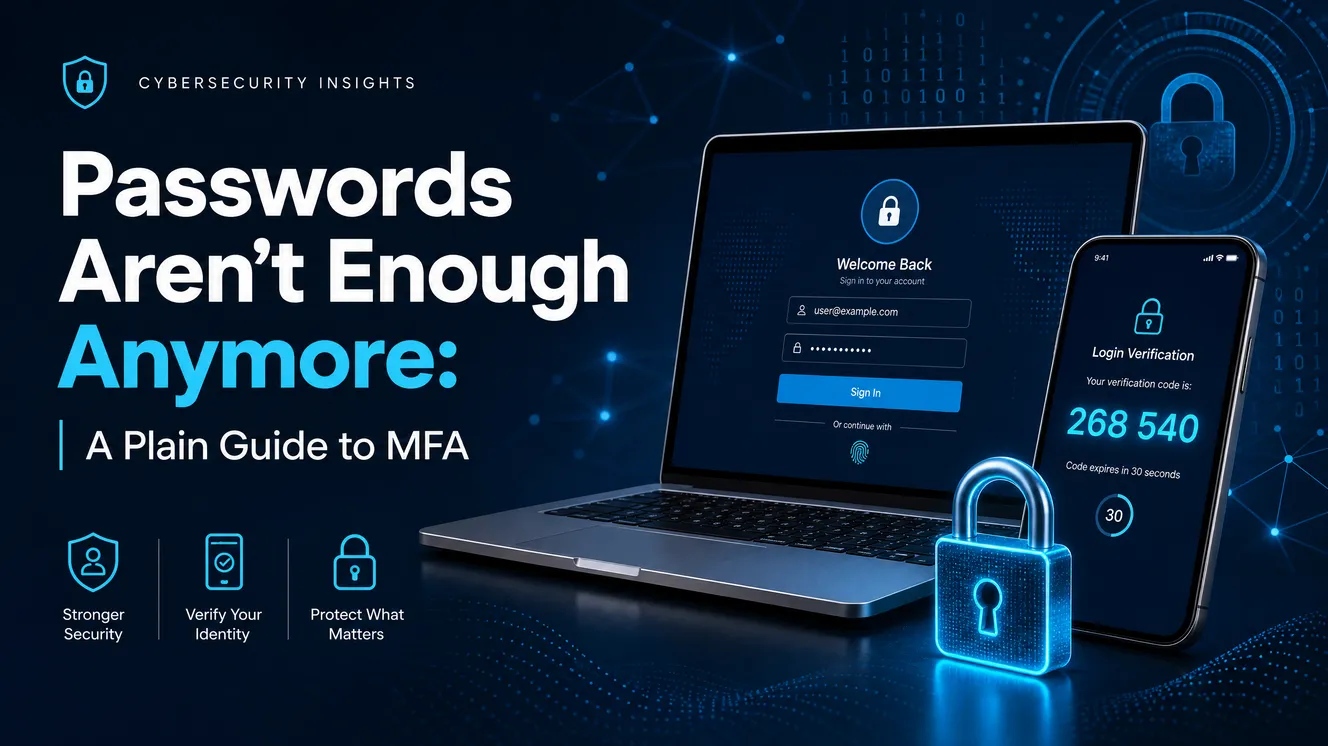
For thirty years, the password did all the work. One secret string stood between your private life and anyone who wanted in. That model made sense when you had two or three accounts and hackers were hobbyists. It makes no sense now, when the average person juggles dozens of logins and attackers run automated programs that test millions of stolen passwords a day against every site they can find. The password did not get weaker. The world around it got far more hostile. Multi-factor authentication is how you adapt — and the good news is that it is one of the rare security upgrades that is both genuinely effective and genuinely easy to set up.
Why the Password Era Is Over
A password has a fatal design flaw: it is a single point of failure. If someone learns it, they are you. And there are more ways to learn it than ever. Data breaches dump enormous lists of real passwords onto criminal markets, where they are bought, sorted, and fed into automated attacks. Phishing emails trick people into typing their credentials into convincing fake login pages. And password reuse multiplies every one of these risks — because once an attacker has the password you used on a hobby forum that got hacked, the first thing they do is try it on your email and your bank.
Even a strong password does not escape this. The Federal Trade Commission recommends making passwords long — at least fifteen characters — and never reusing them, but it is candid that even a great password can be stolen, and that this is exactly why a second factor matters. A long, unique password makes you a harder target. MFA makes a stolen password nearly worthless. You want both, but if you can only do one thing today, MFA delivers the bigger jump in safety.
What MFA Actually Is
Strip away the acronym and multi-factor authentication is a simple idea: to log in, you have to prove your identity in two different ways instead of one. The FTC groups the possible proofs into three categories, and understanding them is the whole concept:
Something you know — a password, a PIN, the answer to a security question. Something you have — a one-time code texted to your phone, a code from an authenticator app, or a physical security key. Something you are — a fingerprint, a face scan, or another biometric trait that is uniquely yours.
True multi-factor authentication combines at least two of these from different categories. That distinction matters. A password plus a security question is not real MFA, because both are things you know — and both can be looked up, guessed, or phished in the same breath. The strength of MFA comes from forcing an attacker to defeat two unrelated kinds of proof at once. Stealing your password is one problem; also stealing the phone in your pocket or copying your fingerprint is a completely different and much harder one. That gap is the entire point.
The 99% Number, Honestly
You will see the statistic everywhere: MFA blocks 99% of attacks. CISA says it makes you 99% less likely to be hacked; Microsoft has reported that MFA blocks 99.9% of automated account-compromise attacks. These figures are real and the takeaway is correct — turning on MFA is one of the highest-impact security steps you can take. But the honest version of the story has a caveat worth knowing, because it changes which kind of MFA you should choose.
That 99% mostly describes automated, password-only attacks — the bulk attacks where a program tries stolen passwords by the million. Against those, any MFA is a near-perfect wall, because the program has the password but nothing else. What MFA does not automatically stop is a determined, targeted attacker who has learned to defeat the weaker second factors. As CISA itself warns, not all MFA is created equal: some common forms can be phished or bypassed. So the right way to read the statistic is this — any MFA dramatically protects you from the floods of automated attacks that make up most of the threat, and the strongest MFA also protects you from the targeted, human attacks that the weaker kinds can’t. The number is a reason to turn MFA on today. The caveat is a reason to choose a good kind.
The Types of MFA, Weakest to Strongest
All of these are better than a password alone. But they are not equal, and CISA actually publishes a hierarchy ranking them from most to least secure. Here is that ladder, from the kind you can outgrow to the kind worth aiming for.
Text and email codes (the weakest, but still worth it)
The most common form of MFA is a six-digit code sent to you by text message or email. It is everywhere because it is easy, and the FTC notes it is the type most people encounter first. It is also the weakest, for a few specific reasons. Text codes can be intercepted through SIM-swapping, where an attacker convinces your mobile carrier to move your phone number to their device and starts receiving your codes. They can be grabbed through weaknesses in the phone networks themselves. And like any code you type, they can be phished. None of that makes SMS useless — it is vastly better than no second factor — but if a stronger option is offered, take it.
Authenticator app codes (a real step up)
An authenticator app — the free ones from Google, Microsoft, and others — generates a fresh six-digit code on your phone every thirty seconds. Because the code is created on your device and never travels across the phone network, it sidesteps the SIM-swap and interception problems that plague text messages. The FTC specifically points to authenticator apps as a more secure choice than codes sent by text or email. For most people, moving your important accounts from SMS to an authenticator app is the single best free upgrade available.
Push prompts with number matching
Some services send a push notification to your phone — “Approve this login?” — that you tap to confirm. Convenient, but it created a new attack: bombarding a victim with prompts until, tired or confused, they tap approve. The fix is number matching, where the login screen shows a number you must type into the prompt. That small step proves you are actually the one logging in, not just someone mashing the approve button, and CISA recommends it for any service still using push-based MFA.
Biometrics
Your fingerprint or face is a strong factor because it is genuinely hard to steal or duplicate, and it is wonderfully convenient — nothing to type, nothing to wait for. Its main limitation is that it is usually tied to a specific device, so it works best as one part of a combination rather than your only line of defense. On a modern phone or laptop, biometrics often quietly power the strongest option of all, which comes next.
Security keys and passkeys (the gold standard)
At the top of the ladder sit physical security keys (small devices that plug into a USB port or tap your phone) and passkeys (the same technology built into your phone or computer). CISA calls these phishing-resistant, and they earn the title through a clever bit of design explained in the next section. For your most valuable accounts — email, banking, anything you truly cannot afford to lose — this is the level worth reaching for.
The MFA Hierarchy (Strongest to Weakest)
1. Security key / passkey — phishing-resistant; the gold standard for critical accounts.
2. Authenticator app with number matching — strong and resists push-fatigue attacks.
3. Authenticator app one-time code — solid; beats SMS because codes never cross the network.
4. Biometrics — strong and device-specific; best paired with another factor.
5. Text or email code — the weakest form, but still far better than no MFA at all.
How MFA Gets Beaten (So You Respect the Limits)
Knowing how the weaker forms fail is what makes you choose the stronger ones. Three attacks account for most MFA bypasses, and none of them require Hollywood hacking skills.
SIM swapping targets text-based codes. The attacker gathers enough personal details to impersonate you, calls your mobile carrier, and has your phone number transferred to a SIM card they control. Suddenly every text code meant for you arrives on their phone instead. Adversary-in-the-middle phishing is more cunning: you are lured to a fake login page that secretly forwards everything you type — password and one-time code alike — to the real site in real time, logging the attacker in before your code expires. The FTC makes the underlying point bluntly: if a person can be tricked into typing their password into a fake page, they can just as easily be tricked into typing their one-time code there too. MFA fatigue, or push bombing, exploits convenience — the attacker who already has your password triggers login after login, flooding your phone with approve prompts until you tap one just to make the buzzing stop.
Notice the thread running through all three: each one tricks you into handing over or approving something. That is precisely why the gold-standard methods are so powerful — they remove the human step that these attacks depend on.
Passkeys: The Password’s Actual Replacement
Passkeys are the most important thing happening in everyday account security, and they are worth understanding because they fix the root problem rather than patching it. Built on an open standard (FIDO/WebAuthn) that CISA endorses as phishing-resistant, a passkey replaces the typed secret with a pair of cryptographic keys. One key stays locked on your device; the other lives with the website. When you log in, your device proves it holds the matching key — usually unlocked by your fingerprint or face — without ever transmitting anything an attacker could capture and reuse.
Two properties make this nearly unphishable. First, there is no code to type and no secret to reveal, so a fake page has nothing to steal. Second, the passkey is bound to the real website’s address — your device will simply refuse to authenticate to a look-alike phishing domain, because the cryptographic handshake won’t match. The adversary-in-the-middle trick that defeats text and app codes just doesn’t work. Passkeys are now available across Google, Apple, and Microsoft accounts and a growing list of major services, and on a modern phone or laptop, setting one up often takes nothing more than a fingerprint touch. For the accounts that matter most, it is the closest thing to a real upgrade out of the password era.
What To Do This Week
You do not need to overhaul your entire digital life at once. You need to protect the accounts that, if lost, would let an attacker reach everything else. The order matters more than the speed.
Start with your email. This is the one account to secure before any other, because your email is the master key to your whole online life — almost every other account resets its password by sending a link to your inbox. An attacker who owns your email owns everything downstream of it. Turn on the strongest MFA your email provider offers, ideally a passkey or authenticator app, not just SMS. Then secure money and identity — banking, payment apps, and your phone carrier account (locking down the carrier helps block SIM swaps). Then work outward to social media, shopping, and the rest, prioritizing anything that stores a credit card or personal data.
As you go, follow three rules of thumb. Prefer an authenticator app or passkey over text codes wherever the option exists. Save your backup codes — the one-time recovery codes a service gives you when you enable MFA — somewhere safe and offline, so a lost phone doesn’t lock you out of your own accounts. And pair MFA with a password manager that generates a long, unique password for every site, so that even the accounts without MFA aren’t sharing a password with the rest. MFA and unique passwords are partners, not substitutes.
Your MFA Priority List
1. Email — the master key to everything; secure it first, with the strongest method available.
2. Banking & payments — anywhere your money lives or moves.
3. Phone carrier account — lock it down to help block SIM-swap attacks.
4. Social media & cloud storage — identity, photos, and contacts attackers exploit.
5. Everything else — especially any account holding a saved card or personal details.
Common Mistakes That Undercut MFA
MFA works, but a few habits quietly blunt its protection. Here are the ones to avoid.
The Small Friction That’s Worth It
Yes, MFA adds a few seconds to logging in. That friction is the entire reason it works — it is also the few seconds that stand between a hacker holding your stolen password and a hacker actually getting in. Most services are smart about it, too: once you confirm a device as trusted, they stop asking on every visit and only prompt again when something looks unusual, like a login from a new phone or a different country. The day-to-day cost is far smaller than people fear, and the protection is enormous.
Think of it the way you think of a seatbelt. It is a minor, automatic habit that you barely notice on the thousands of ordinary trips — and the one time it matters, it changes everything. You will not feel MFA protecting you on the countless normal logins. You will be profoundly glad it was there on the single day someone else got hold of your password.
One Password Was Never Going to Be Enough
The password isn’t dead, but it can no longer stand alone — not in a world where breaches leak credentials by the billion and automated attacks test them around the clock. Multi-factor authentication is the layer that makes a stolen password a dead end instead of an open door. Any MFA shuts down the flood of automated attacks. The stronger kinds — an authenticator app, and best of all a passkey or security key — also defeat the targeted, human ones.
You don’t have to do it all tonight. Start with your email, because it unlocks everything else. Choose an authenticator app or passkey over text codes when you can. Save your backup codes, and let a password manager handle the passwords themselves. Twenty minutes of setup buys you protection that a hacker on the other side of the world simply cannot brute-force their way past.
Secure your email first. Do it before you close this page.
This article is for general security education. Specific options and settings vary by service and change over time. For official, up-to-date guidance, consult CISA and the Federal Trade Commission, and follow the MFA instructions provided by each of your account providers.
Leave a Reply